Know everyone who walks through your doors. Never lose a guest again.
Most churches juggle five tools and still lose track of people. Faith Central puts attendance, guests, kids check-in, texting, giving and follow-up in one app that looks the same on the office computer, the greeter’s iPad and the pastor’s phone.
People slip through the cracks when the system is a spreadsheet.
A guest nobody called by Tuesday rarely comes back.
They filled out a card. It went in a stack. By the time someone typed it in, the moment had passed.
A regular who misses three Sundays goes unnoticed for a month.
Attendance lives in one place, care notes in another, and nobody is looking at both.
Five logins for five tools means nobody owns the follow-up.
Check-in here, giving there, texting somewhere else. The pastor gets a report nobody trusts.
Every one of them is a person God sent to your door. They deserve better than a spreadsheet, and so does the team that loves them.
One place to know your people, keep your guests, and grow.
Know who’s here
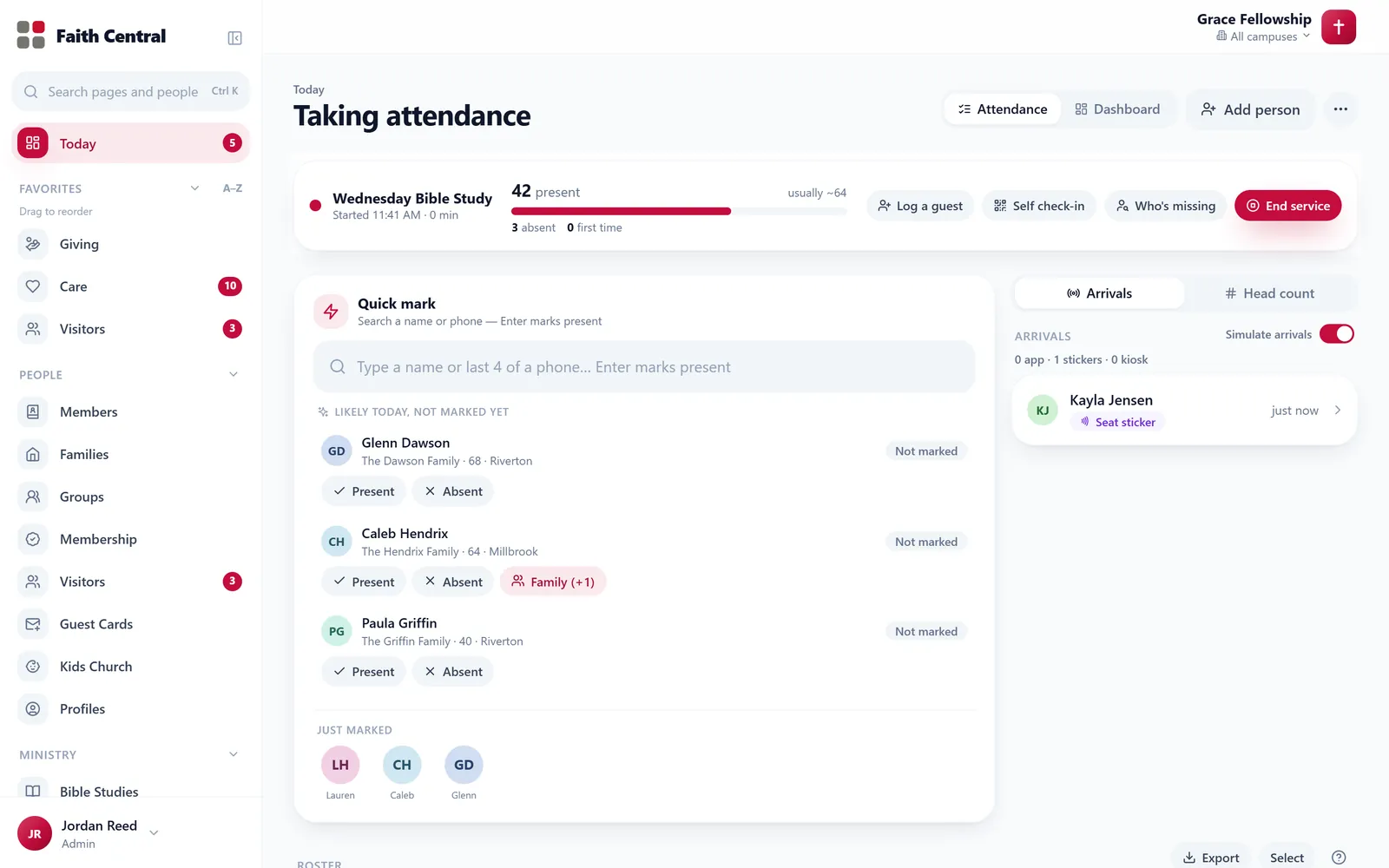
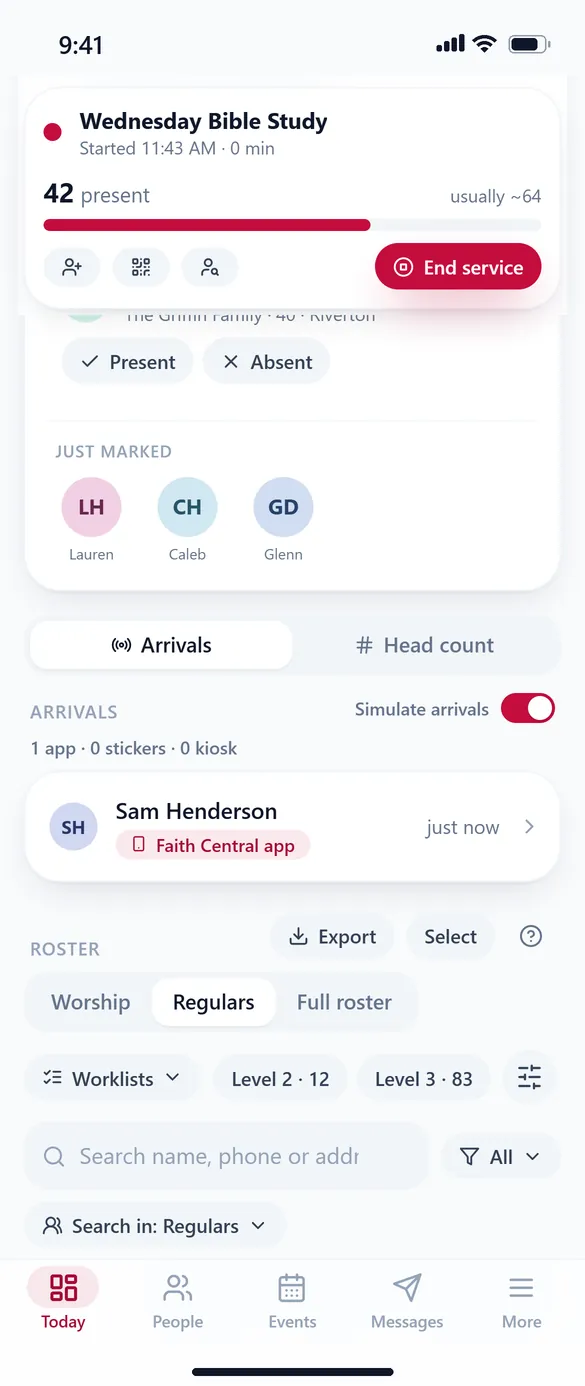
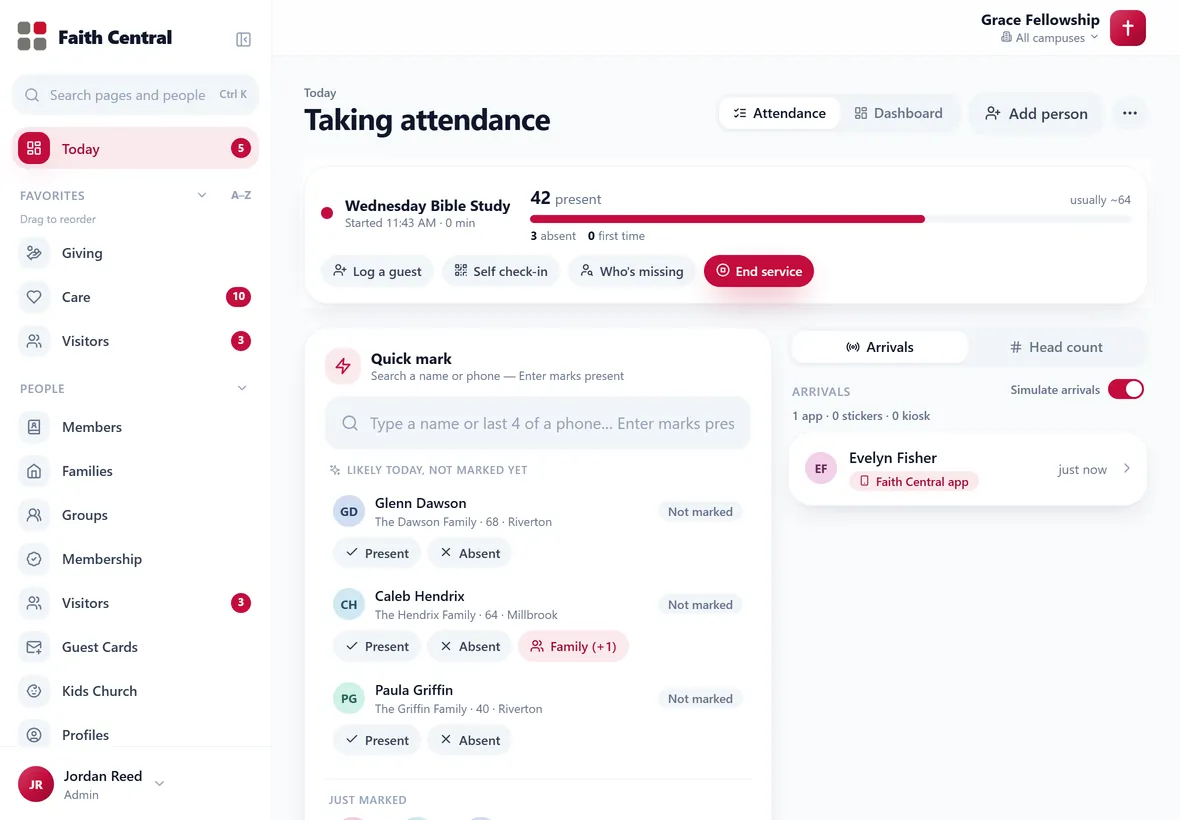
Tap Present, Absent or ? on anyone’s card, or let the app, a seat sticker or the kids kiosk mark them. One board, while the service is still going.
Never lose a guest
A visit becomes a person, a text, a printed card and a call on somebody’s list, without anyone typing it in.
Grow without the busywork
Workflows, texting from your pastor’s own line, and giving mirrored from SecureGive, all in one place.
One tap per person: Present, Absent, or not sure yet.
Every person card in Faith Central carries the same three buttons. When the service starts, by hand or on its own at service time, Today turns into the attendance screen: a live count against a normal Sunday, a quick-mark box that finds anyone by name or the last four digits of their phone, and the whole roster as cards. Tap the lit choice again to put someone back to ?, and every mark can be undone.
- Arrivals from the Faith Central app, seat stickers and the kids kiosk land on the same board
- Who’s missing: the regulars who usually come but aren’t marked yet
- Search in Worship, Regulars or the full roster
- Every mark shows on the person’s profile and in Service History
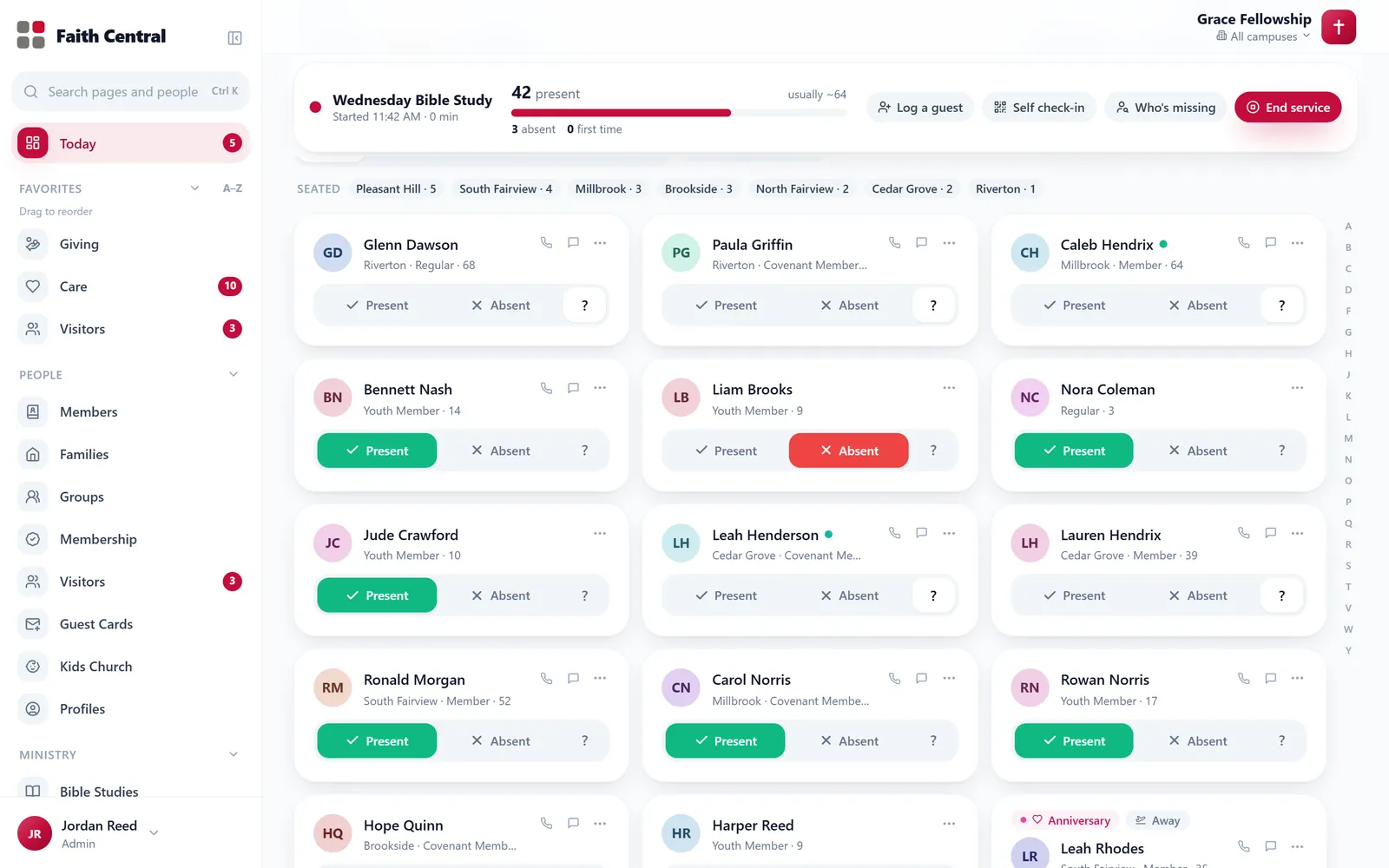
The roster during a live service, in the demo.
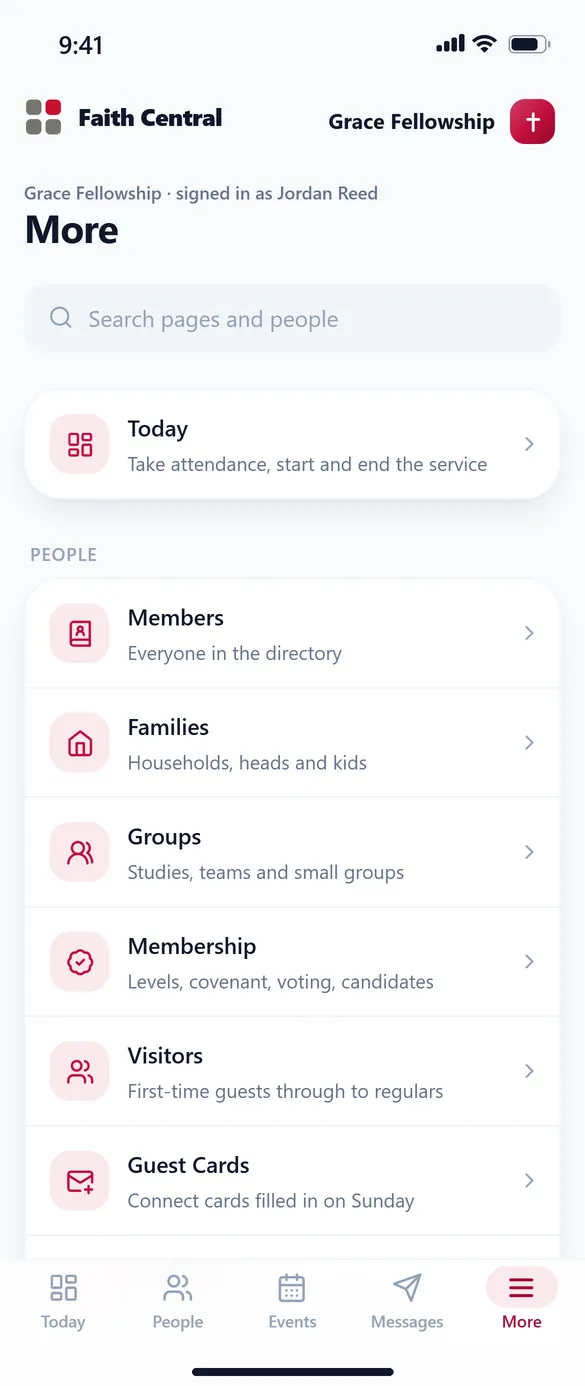
The same Faith Central on the office computer, the greeter’s iPad and the pastor’s phone.
It looks and works like the Faith Central app your members carry: big titles, soft cards, one tap for the thing you came to do. Nothing to install. It runs in the browser at your own address, like gracefellowship.faithcentral.church.
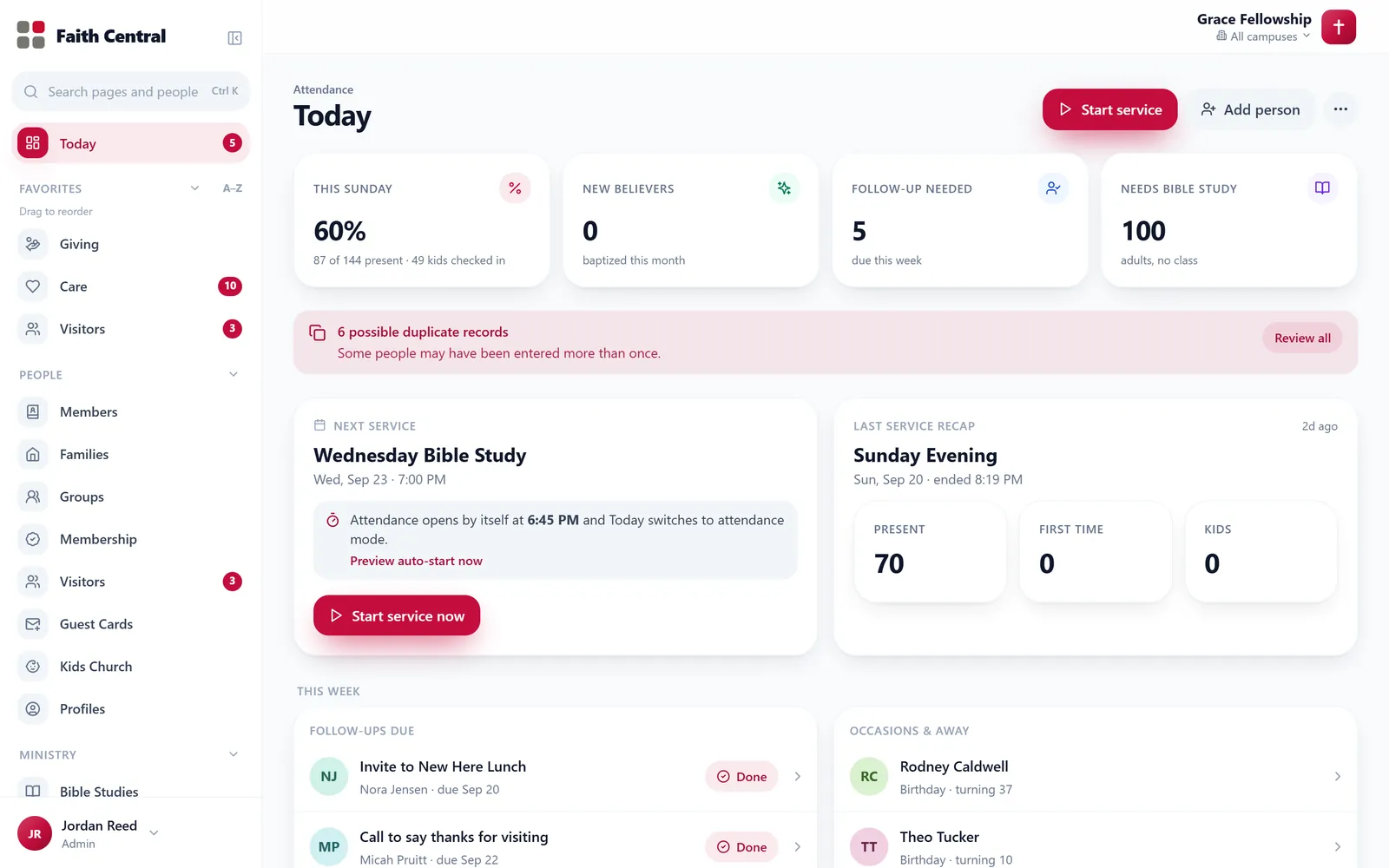
Every tab in one side menu
Star your favorites to the top, see a count wherever something needs you, and fold it down to icons when you want the room.
Bottom tabs on the phone
Today, People, Events and Messages under your thumb. Everything else is one tap away in More.
Search everything
Ctrl K finds any page, person or action. Type a name and jump straight to their profile.
Light or dark
Every screen in both, for the office at noon and the sound booth on a Wednesday night.
Every person has a stage. Every report agrees.
First-time guest, returning, regular, in a Bible study, new believer, member, serving, leading. Reports, insights and workflows all read the same definition, so the staff meeting stops arguing about who counts as a member and starts talking about who to call.
Everything a growing church runs on, in one menu.
This is Faith Central’s actual side menu, grouped the way the app groups it. Every tab works in the live demo, and each person on your team sees only the tabs their role allows.
People
Ministry
Reports
Admin
A look around, on a made-up church.
Screenshots of Faith Central on Grace Fellowship, a fictional congregation with two years of made-up history. Every one of these pages is in the live demo below.
Today turns into attendance when the service starts. A live count against a normal Sunday, quick mark by name or the last four digits of a phone, arrivals from the app, and who’s missing.
Open Faith Central on a made-up church. No sign-in.
The demo is the whole app on Grace Fellowship’s fake data, running right in your browser. Start a service and take attendance, check a child in, write a text, build a report. Your changes stay in your browser; nothing is sent anywhere.
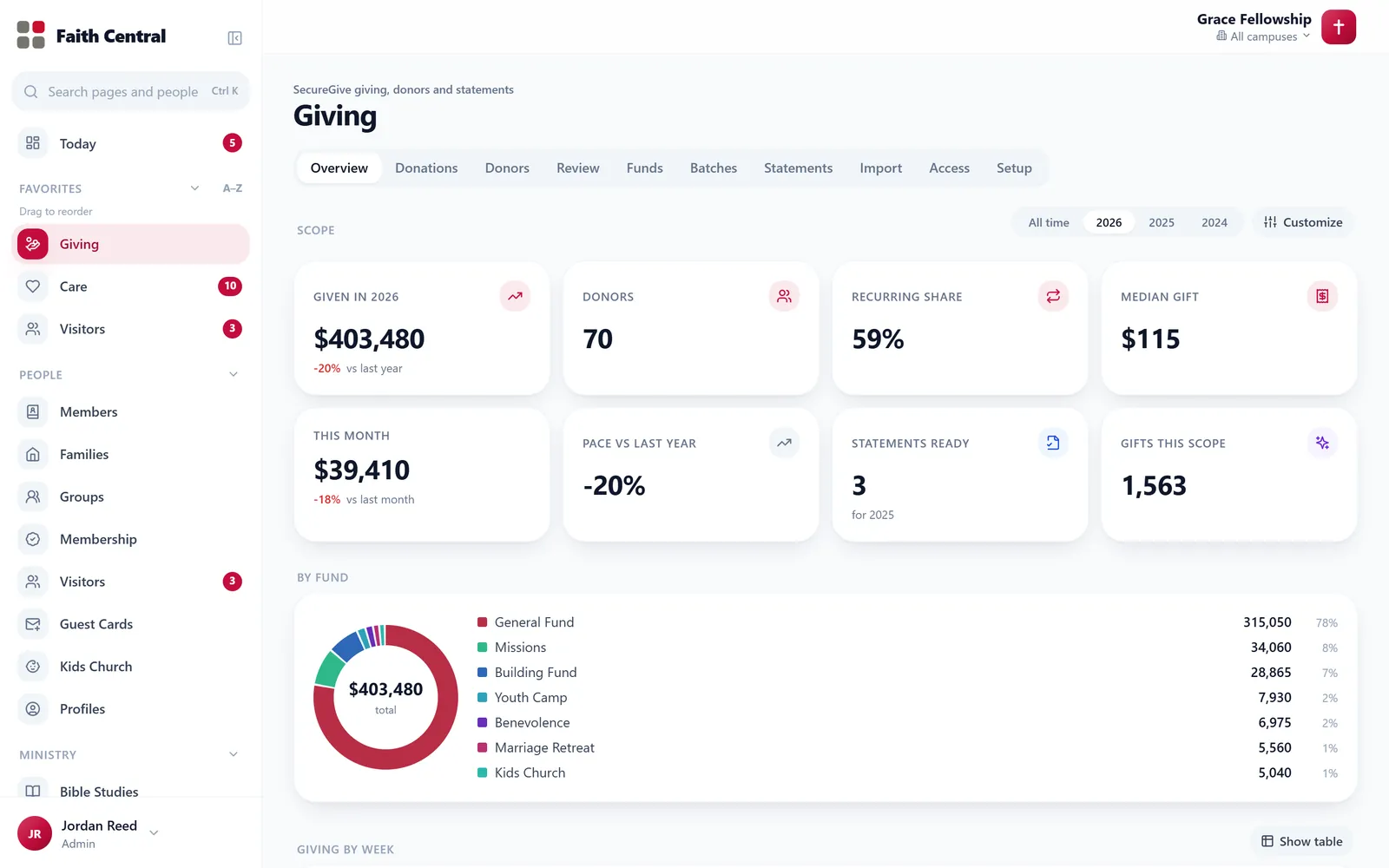
The demo is one file that runs in your browser, on Grace Fellowship’s made-up data. Reload it any time to start over.
Faith Central on Grace Fellowship’s made-up data, signed in as the church office. Click anything; nothing leaves your browser.
Tap through the flows churches ask about first.
Six guided walk-throughs. The card on the left is what your team sees in Faith Central; the phone is what your members see in the Faith Central app.
Kids check-in with secure pickup
Parents check in from the app or the station. Tags print instantly, each family gets a pickup code, and nobody leaves with the wrong child. Try it: tap Check in 2 kids, then scan at the pickup station.
Just checked in
Allergies: none · Mom: Maria Lopez
Pickup station
Tags print at the station the moment you tap.
The check-in station, as it runs on Sunday.
Any tablet with a browser becomes a station. Greeters browse families or look one up by phone number, tags print on a label printer, and check-out asks for the four-letter code the parent got on their phone. First-time families are added right there.
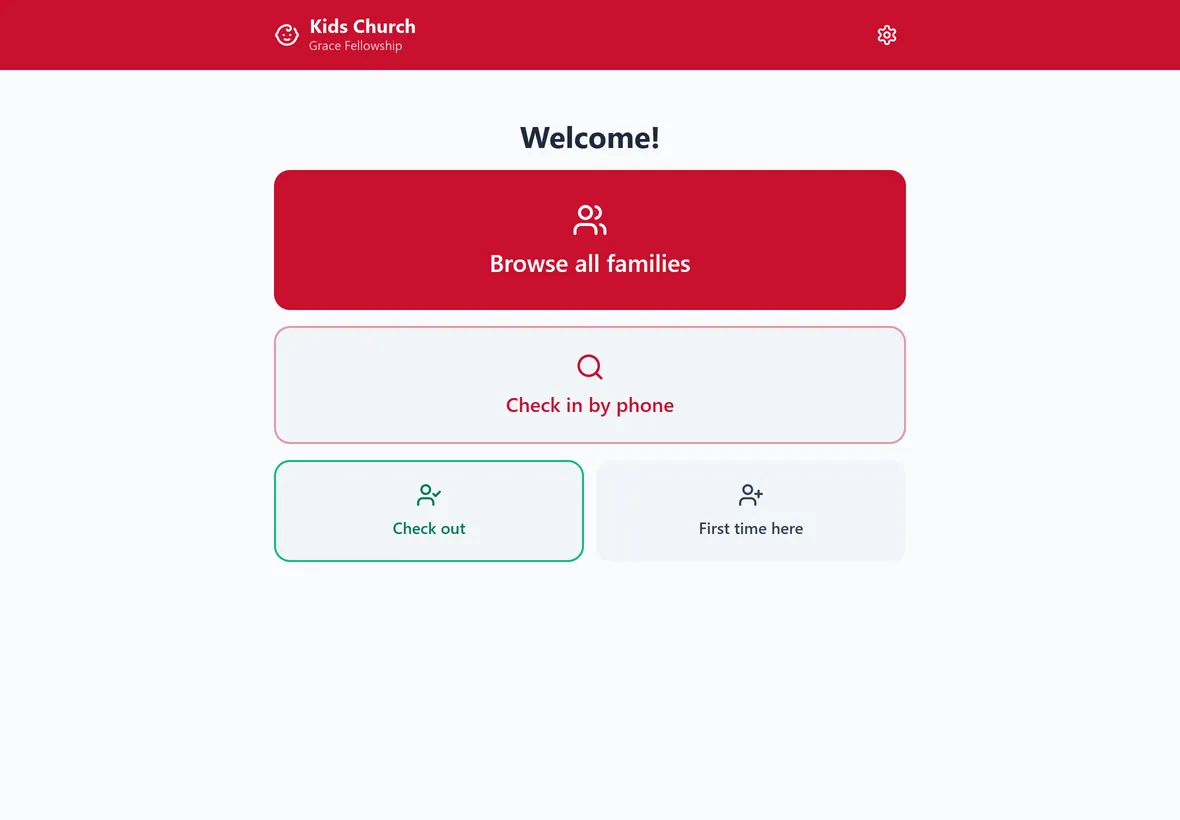
The check-in station screen.
From “Plan a visit” to a printed thank-you card
A visitor fills the form on your website. They exist in your directory before they arrive, a text goes out, and on Sunday the welcome desk prints their card. Submit the form on the phone, then press Sunday.
Expecting
Showed up
Follow-up
With gratitude, your church family
Fill the form on the phone to start.
A form on the church website, built in Faith Central.
Texting from your pastor’s own line
Send to a group from Communication. Replies come back to the pastor who sent it, land on the person’s profile, and STOP is honored without anyone lifting a finger. Send the message, then reply on the phone.
Conversation · Maria Lopez
Texts arrive in the phone’s own Messages app.
Giving that shows up as it happens, and statements nobody has to mail
People give through SecureGive, online or in the lobby, and Faith Central mirrors it live: totals, funds, first-time givers, and a who-gave list finance can hide from everyone else. At year end each member opens their own statement in the Faith Central app, every gift by fund, and downloads the PDF or has it emailed. Press A gift comes in, then open a statement on the phone.
Who gave
2025 statements
Giving stays in SecureGive, online or in the lobby. Faith Central mirrors it so pastors see trends and first-time givers without touching a bank record, and members fetch their own statements instead of calling the office.
Under More, whenever you need one. Gifts are made through SecureGive; this is your record of them.
Events with sign-ups that already know your members
Create the event once. Members register and pay from the app without retyping their details; Faith Central tracks seats, payments and milestones. Register for the retreat on the phone.
Latest sign-ups
Members are recognized from the directory, so the form never asks them for an address they already gave you. Payment goes through SecureGive.
Already in the directory, nothing else to type.
Workflows that move when a person moves
When Jordan joins a Bible study, a workflow assigns a care contact, sends a welcome text from the pastor’s line, updates the roster and schedules a reminder. The member sees it on their phone. Press either button.
guest
study
believer
Workflows are yours to edit: pick a trigger (stage change, birthday, missed Sundays, form submitted), add steps (assign, text, email, add to roster, wait), and turn it on.
The Faith Central app: your church, on their phone.
Your staff and your members use the same Faith Central, so everyone learns one way of doing things. Tap-your-seat check-in, kids check-in with a pickup QR, events, serving, prayer, the family roster and your own giving statements are all in it. Push notifications, too.
- Tap your seat: one tap checks in the whole family
- Kids check-in with pickup codes and printed tags
- Events for your family, one tap to your calendar
- Serving requests to accept or decline
- Prayer and care requests straight to the pastor’s list
- Giving statements any time: each year’s total, every gift by fund, as a PDF or by email
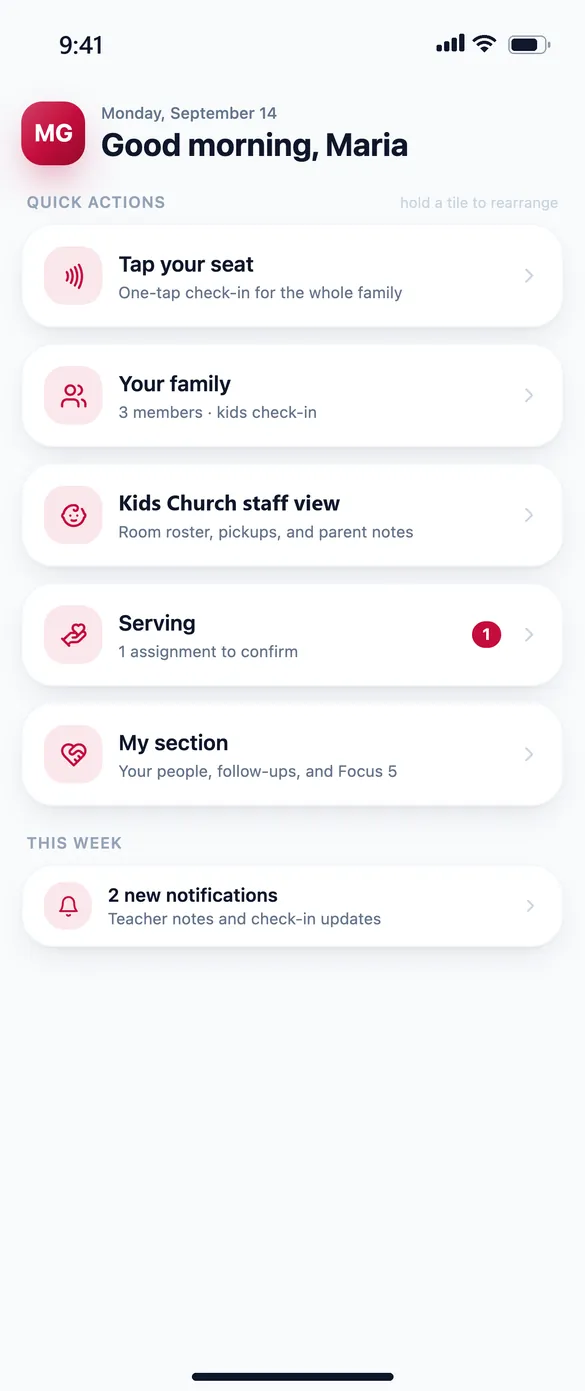
Home: quick actions for the week
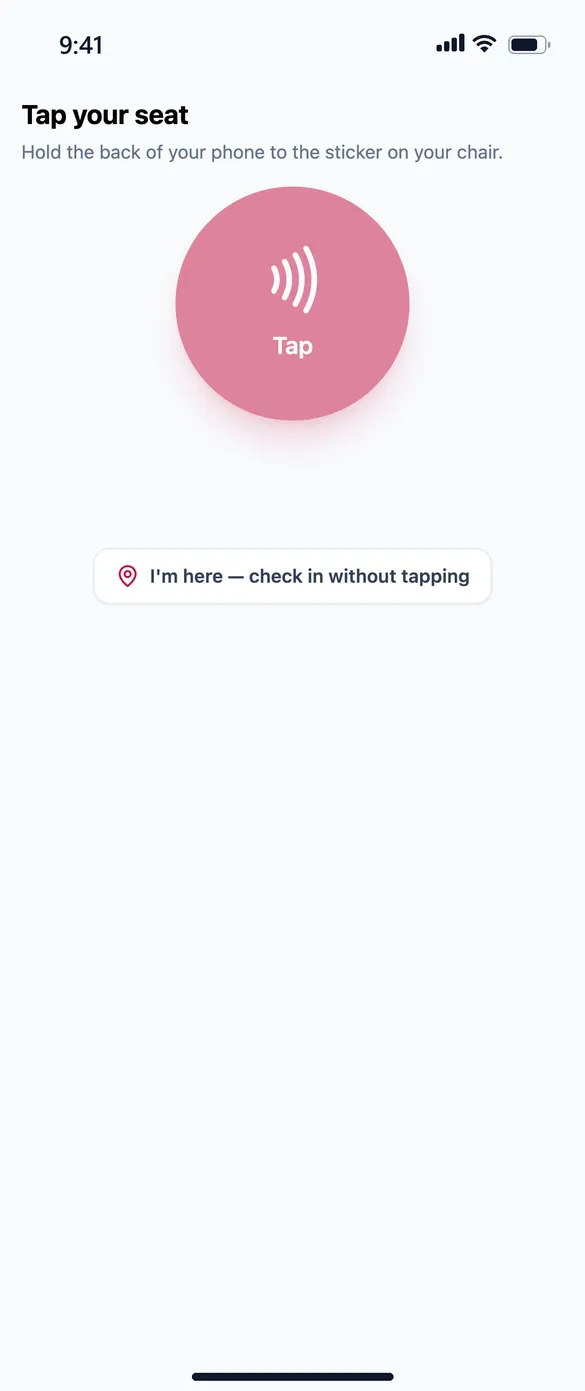
Tap your seat to check in
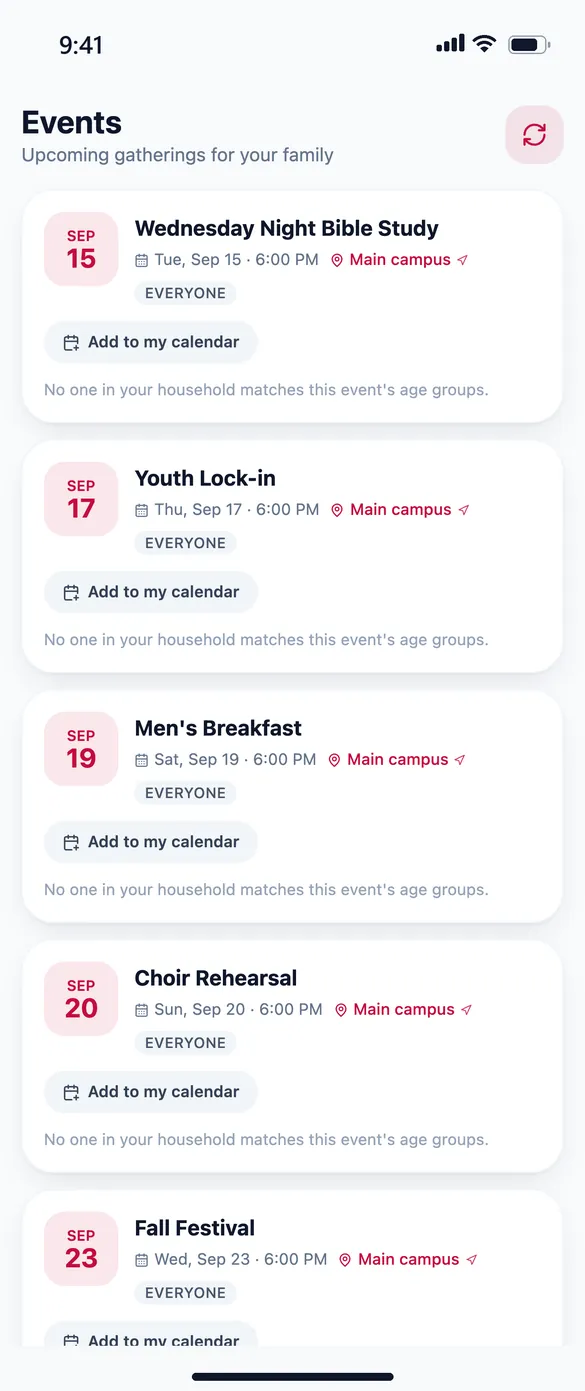
Events: add them to your calendar
Members download the Faith Central app and connect to your church.
They enter your church code or scan the QR in your lobby, and your church’s name, events, groups and their own giving statements are right there.
Three steps, and Sunday runs on it.
No demo call, no onboarding fee, no waiting for someone to set you up. Your private instance is built automatically the moment you finish.
Start free
Church name and your email. Thirty days free, no card until you decide to stay. Your church is live at yourchurch.faithcentral.church in about two minutes.
Bring your people
Import your people from Planning Center, Breeze, Fellowship One or a spreadsheet, then invite your team.
Run Sunday on it
Greeters on the iPad, parents on the app, the pastor on the phone. Guests get a text and a card without anyone remembering to.
No card needed. Already signed up? Find your church
Church software should be one system, not a subscription pile.
Most church management software grew up as a database with modules bolted on: check-in from one vendor, giving from another, texting from a third, each with its own login, its own export and its own bill. The people in your pews don’t live in modules. A first-time guest checks a child into the nursery, gives to the building fund, gets a text on Tuesday and joins a Bible study in October, and every one of those moments should land on the same record.
Faith Central was built inside a working church around that single record. Attendance, giving, texting, events, kids check-in, serving, care and workflows read the same directory and the same definition of where each person is on their journey, so the report the pastor reads on Monday agrees with what the greeter saw on Sunday. It runs in the cloud on a private instance for each church, at yourchurch.faithcentral.church or your own domain, with nightly backups.
- One record per person across every feature
- One definition of the journey, from first visit to leading
- One app on every screen, light or dark
- Your own private instance, your own data, exportable any time
- Import from the systems churches actually use
Pricing is coming soon.
We’re putting the finishing touches on our plans. In the meantime, every feature is yours free for 30 days, with no card needed.
Bring your people with you.
Most churches switch over a weekend. Export from your current system, upload, confirm the columns the mapper suggests, and your people, families and groups are in. Attendance and giving history import as separate passes so nothing is lost.
- Planning Center: export People, upload, done
- Breeze: export template supported as-is
- Fellowship One: direct connection, no export needed
- Any spreadsheet or CSV with an AI-assisted column mapper
- Attendance and giving history as their own imports
- No setup fee, no migration fee, ever
What pastors ask before they sign up.
Do we need someone technical?
No. Sign up and name your church. Your instance is created automatically and your team gets invites by email. Settings are written in plain language.
Does it work on our iPads and phones?
Yes. Faith Central is one app that fits the screen it’s on: a side menu on a computer, the same cards on the greeter’s iPad, bottom tabs on a phone. There is nothing to install, and every screen works in light or dark.
How does our team sign in?
Go to faithcentral.church, find your church by name, and sign in on your church’s own page (yourchurch.faithcentral.church). Passkeys and two-step sign-in are built in, and each person only sees the tabs their role allows.
Where is our data, and who can see it?
Each church gets its own private instance and database. Nobody else’s data is in it. Our staff don’t look at your people unless you ask for help. Backups run nightly, and everything is encrypted in transit and at rest.
Can we use our own domain?
Yes. You start on yourchurch.faithcentral.church. Add one DNS record and your own address works with automatic HTTPS.
Do we own our data? Can we leave?
Always. Export everyone, their attendance, giving history and notes in one download at any time. Cancel from your billing page; no call required.
How does texting work with the carrier rules?
We register your church with the carriers (A2P 10DLC) from your Settings page. Registration usually takes a day or two. Opt-outs are honored automatically and can’t be overridden by staff.
Can the app carry our church’s own name and colors?
Every church starts in the Faith Central app: members enter your church code and see your church’s name, events and their own giving statements. Custom branding, meaning your logo and colors throughout and an app in the App Store and Google Play under your church’s own name and icon, is available by quote. Tell us what you’d like and we’ll price it for you. Apple requires a branded app to be published from your church’s own developer account; we handle the rest.
What happens to our old system?
Import from Planning Center, Breeze, Fellowship One or any spreadsheet. Keep the old system running until you are happy, then cancel it.
What if the internet drops on Sunday?
Everything runs in the cloud, so any device with a browser works, including phones on cellular. An on-site failover for check-in stations is on the roadmap for early 2027.
Ready to see your church on it?
Thirty days free. Your name on it in two minutes. Nothing to install.